Fetch and process a list
Calls a public API, goes through the results one by one and logs each. Runs as-is — no keys needed.
WorkflowNo-code IDE for AI
AIUI is a no-code IDE in your browser for AI workflows, AI agents and teams of agents. Connect Claude, OpenAI or a local model, test your flow in the browser, then download it as a complete Python or C# project that runs anywhere.
Look around without an account. You sign in, or create a free account, when you create your project.
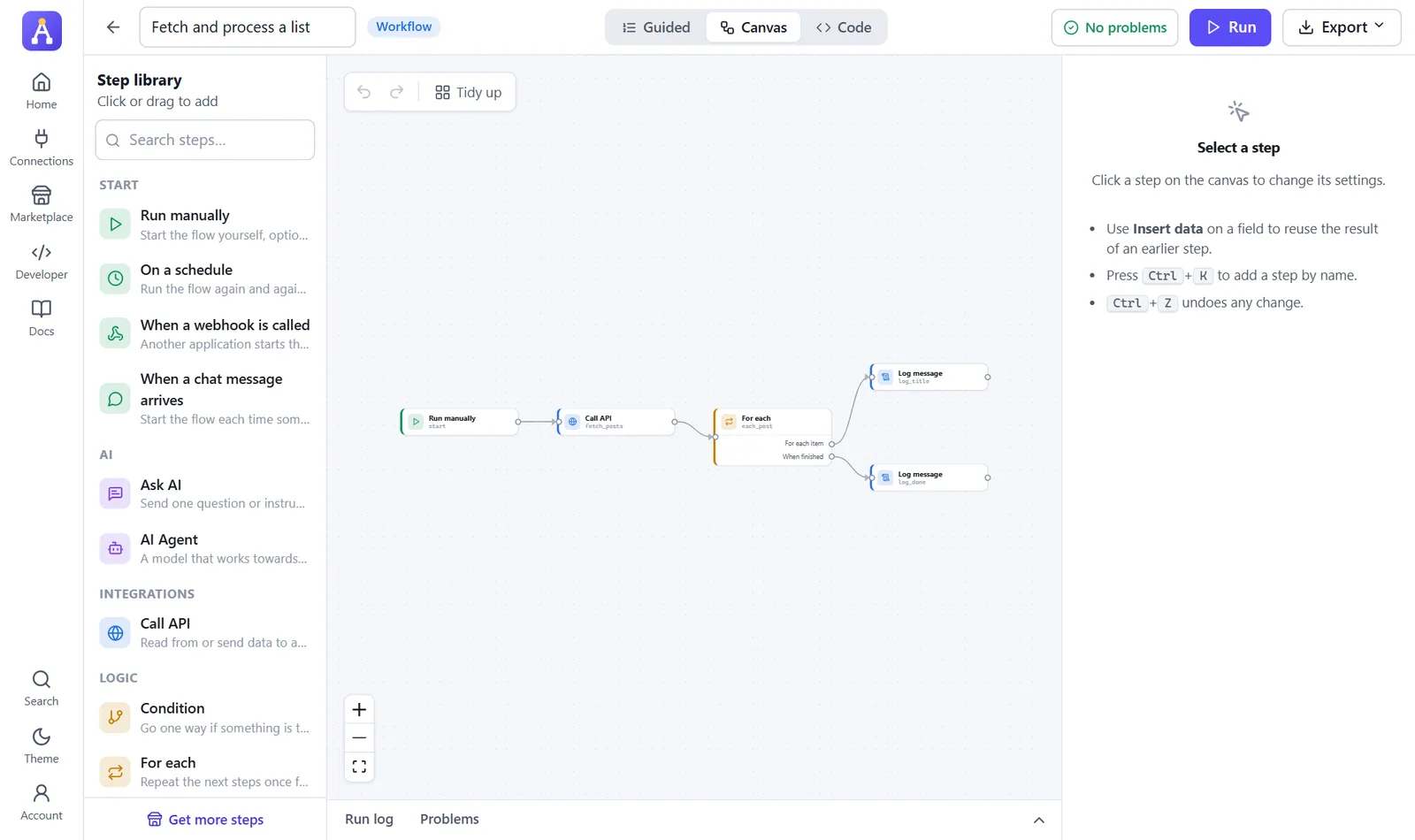
Calls a public API, goes through the results one by one and logs each. Runs as-is — no keys needed.
WorkflowFetches data from an API and asks a model for a short summary. Add an AI model connection to run it.
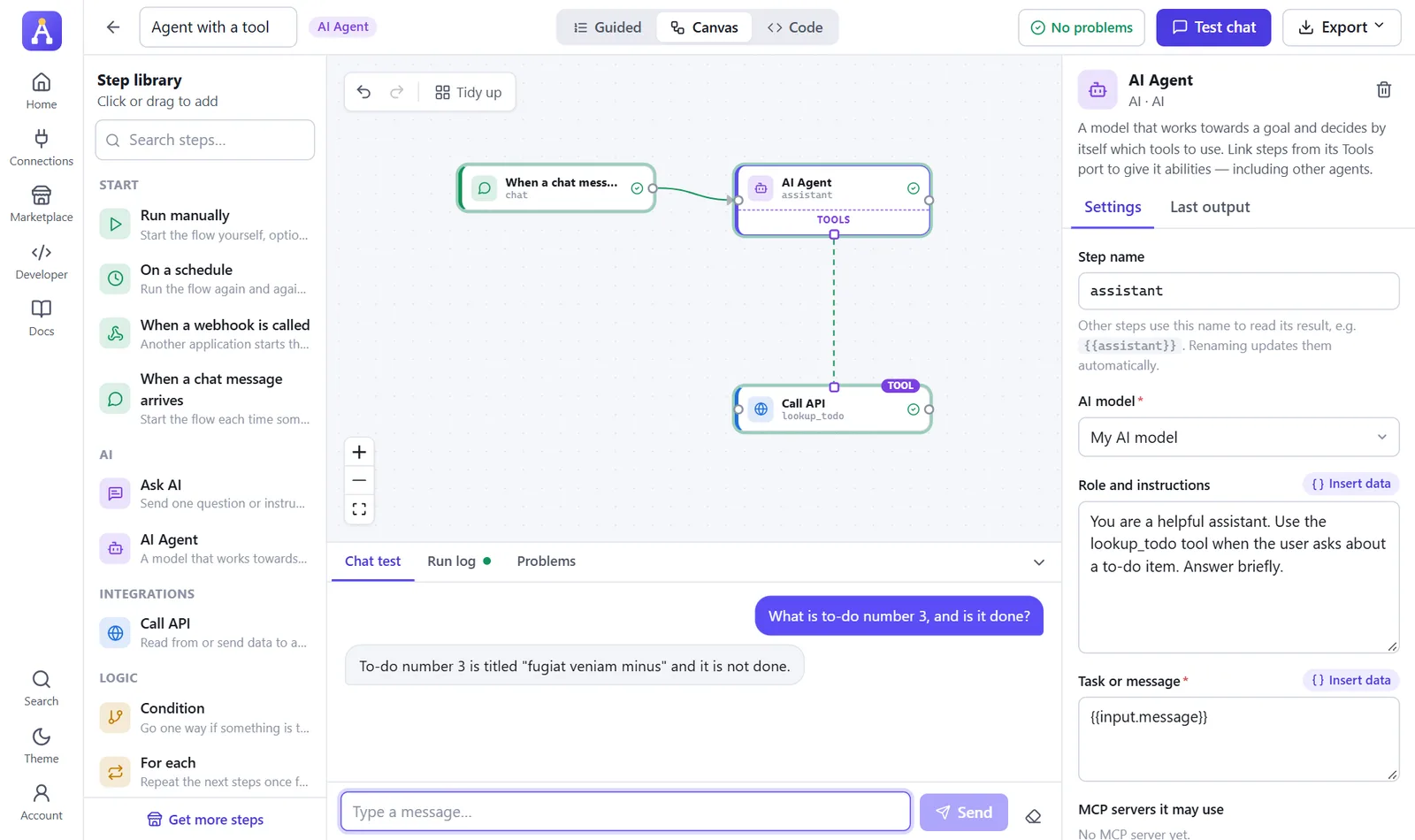
WorkflowA chat agent that can look up a to-do item through an API when asked. Shows how any step becomes a tool.
AI AgentA lead agent that hands work to a researcher and a writer. Shows how agents use other agents as tools.
Agent SolutionTasks that run step by step: fetch data from an API, decide what to do, summarise it with AI and send the result.
An AI that works towards a goal, chats with people and decides which tools to use: APIs, MCP servers or other steps.
Several agents working together, such as a lead agent handing work to a researcher and a writer.
Start from a ready example or a blank page. Templates run without any setup.
Add your Claude or OpenAI key once, or point to a local model.
Run it in the browser, chat with your agent and see every step in the Run log.
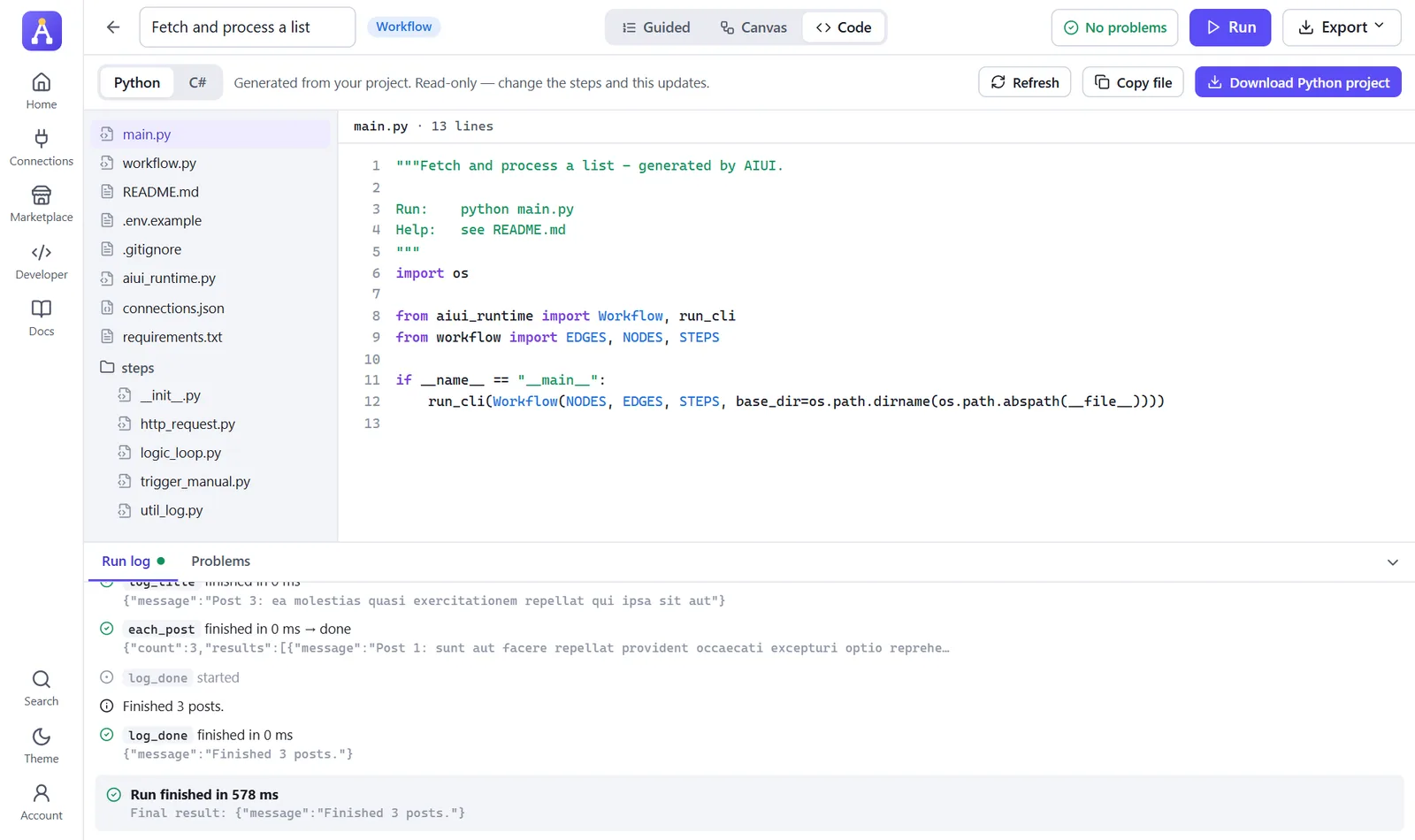
Download a clean Python or C# project that runs anywhere.
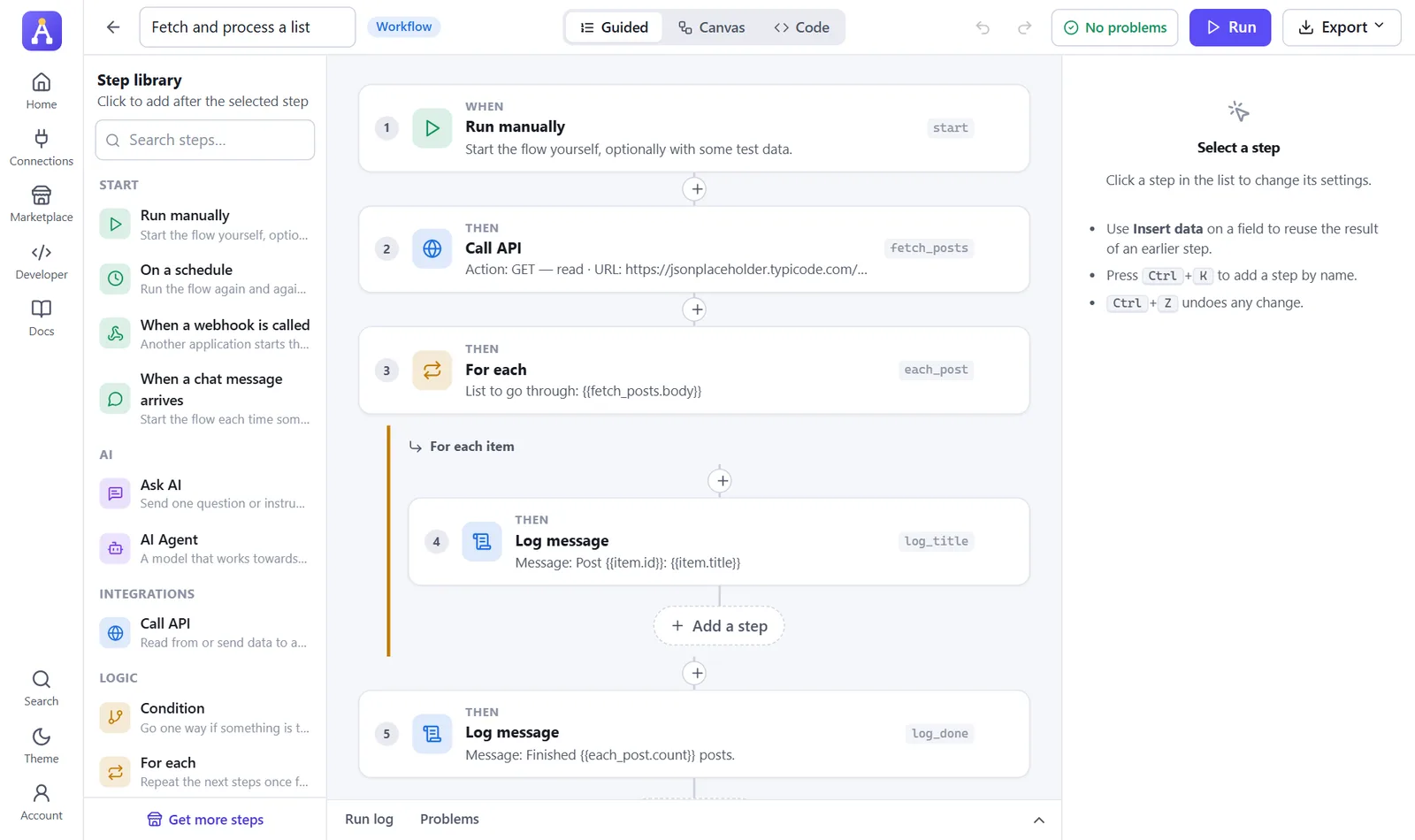
Answer questions step by step, arrange blocks on a canvas, or read the generated code. All three show the same project.
Claude, OpenAI, OpenRouter, Ollama and LM Studio. Switch models without rebuilding your flow.
Exports are plain, readable projects with a README, not a black box. Keep them in your own repository.
Turn an agent into a chat bot, or forward messages from one chat app to another.
Start a flow by hand, on a schedule, when a webhook is called or when a chat message arrives.
Add steps for email, files, reports and MCP tools, or publish your own plugins for others.
Keys are encrypted and never written into exported code. Projects are private to your account.
Welcome tips, a full guide with pictures and examples you can open in one click.
AIUI is a no-code IDE that runs in your browser. You build AI workflows, AI agents and teams of agents by putting steps together and filling in forms, test them in the browser, and download the result as a complete Python or C# project.
No. Everything is built with forms, a step-by-step guided view and a visual canvas. You only write code if you want to publish your own plugins in the Marketplace.
Claude, OpenAI, and any service or server that speaks the OpenAI-compatible format, such as OpenRouter, Ollama and LM Studio.
Yes. Export any project as a ready-to-run Python or C# project with a README. It runs on your own computer or server, on a schedule, as a webhook or as a chat bot.
Yes. Install the free Messaging Bridge plugin from the Marketplace, connect your bot, and start from the "AI bot" template. Messages from one app can also be forwarded to another.
Keys are saved in Connections, encrypted, and cannot be read back. Exported projects never contain them: they read keys from environment variables in a .env file.
Creating an account is free, and the built-in steps and many Marketplace plugins are free. Some Marketplace plugins from developers are paid.
Start from a template that runs without any setup, then make it yours.